
What are Maps?
By using maps you can allow your servers and bartenders to ring in orders on the POS using a map view rather than a spot view. Maps are created in the Manager Dashboard, then used on the POS.
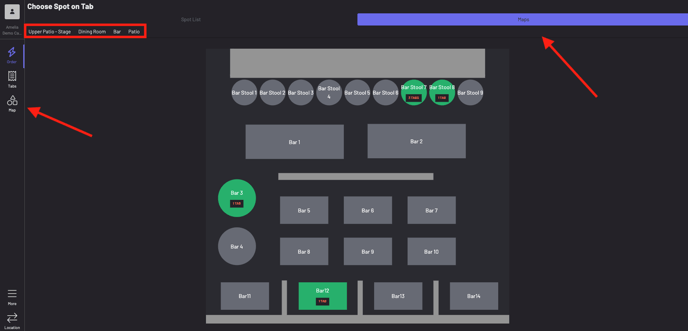
Servers can access maps on the POS by choosing “Maps” on the left, or by starting a tab and choosing maps on the top right. Servers will be able to filter maps by the name created for them in the Manager Dashboard.
To learn how to create a map, click here!