Segments: How to Manage Customers
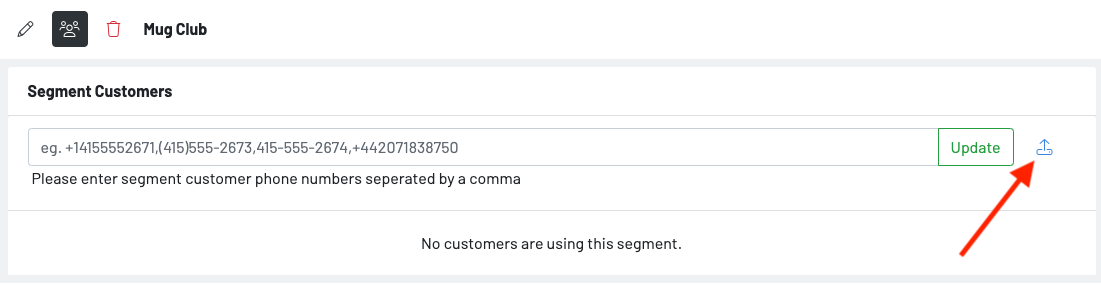
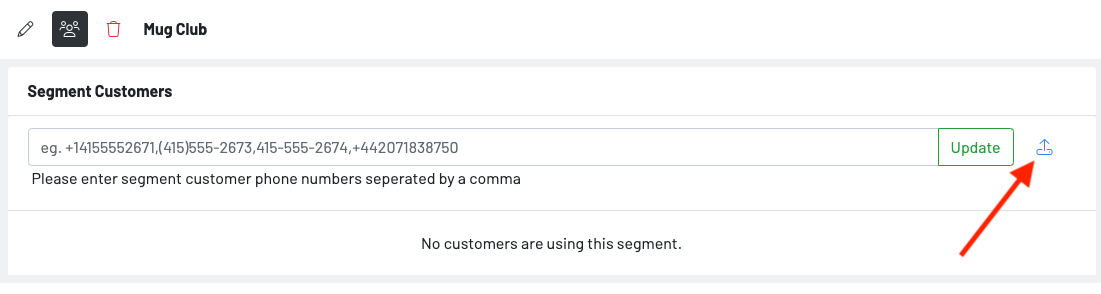
Upload a list of customers’ phones numbers
- Press the upload option to upload a csv of phone numbers.
Add a Customer to an Unrestricted Segment
-
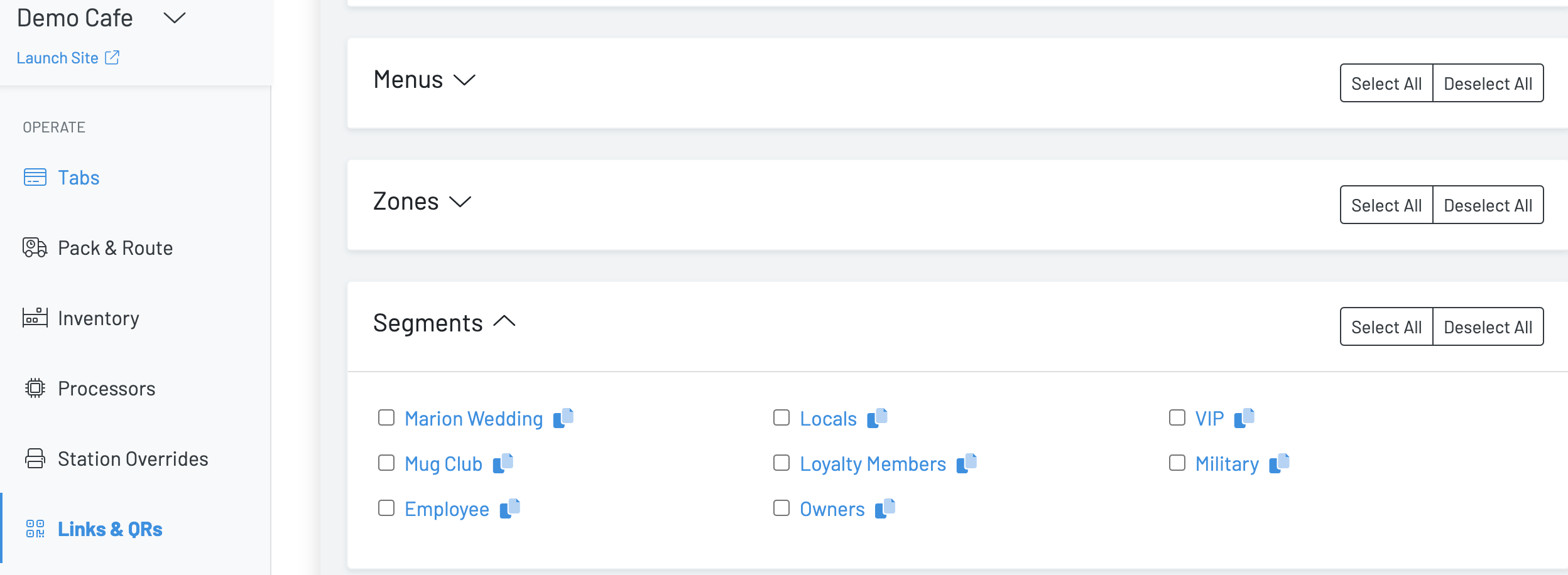
Under the Links & QRs dashboard, navigate to segments
-
Either send out the segment link via text message or embed the link in an email **or **print out the segment QR and store it in an easily accessible place in your establishment.
Add a Customer to a Restricted Segment
-
Under the Segments dashboard, navigate to the specified segment
-
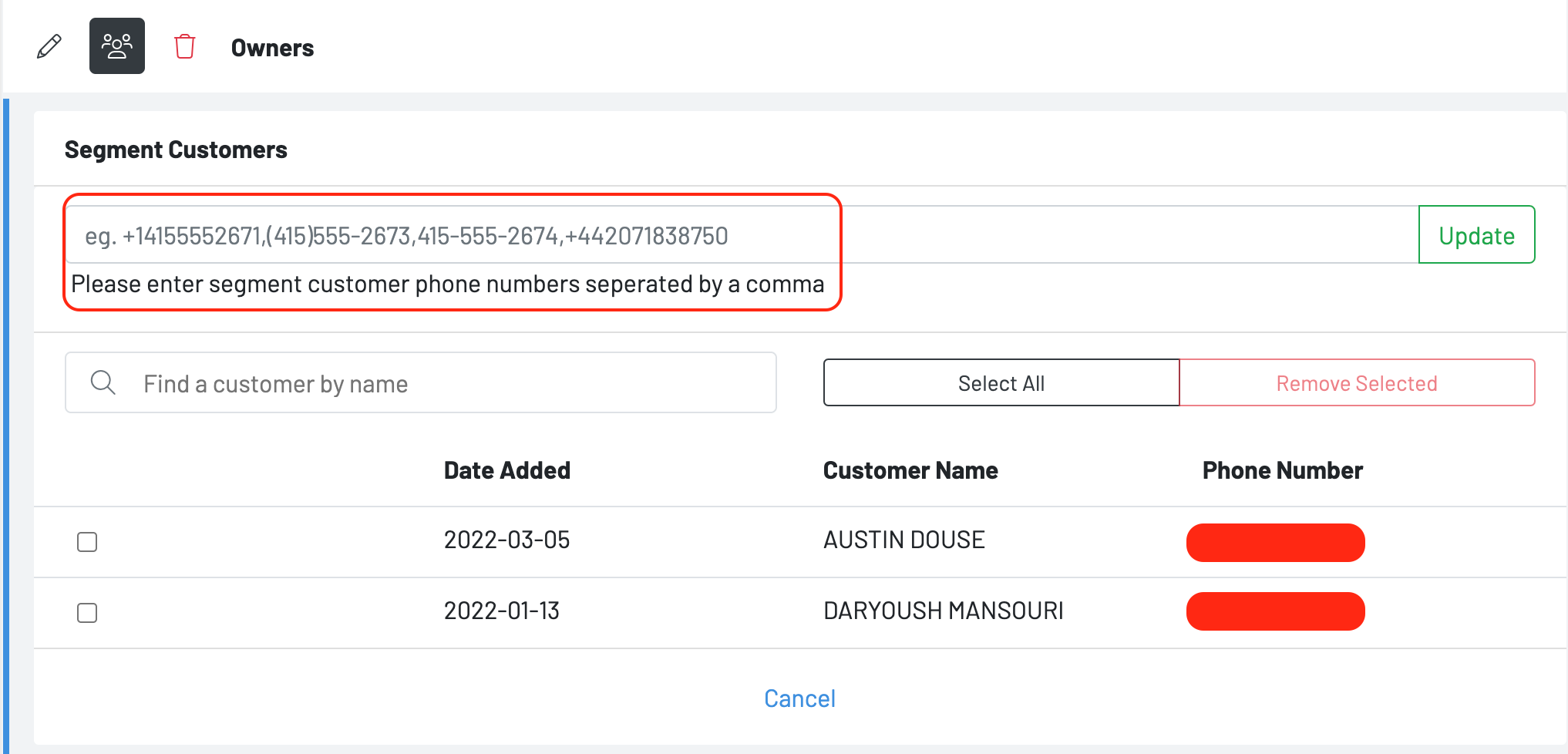
Hit the people icon
-
Enter all customers’ phone numbers into the system
-
Hit update
Remove a Customer from a Segment
-
Under the Segments dashboard, navigate to the specified segment
-
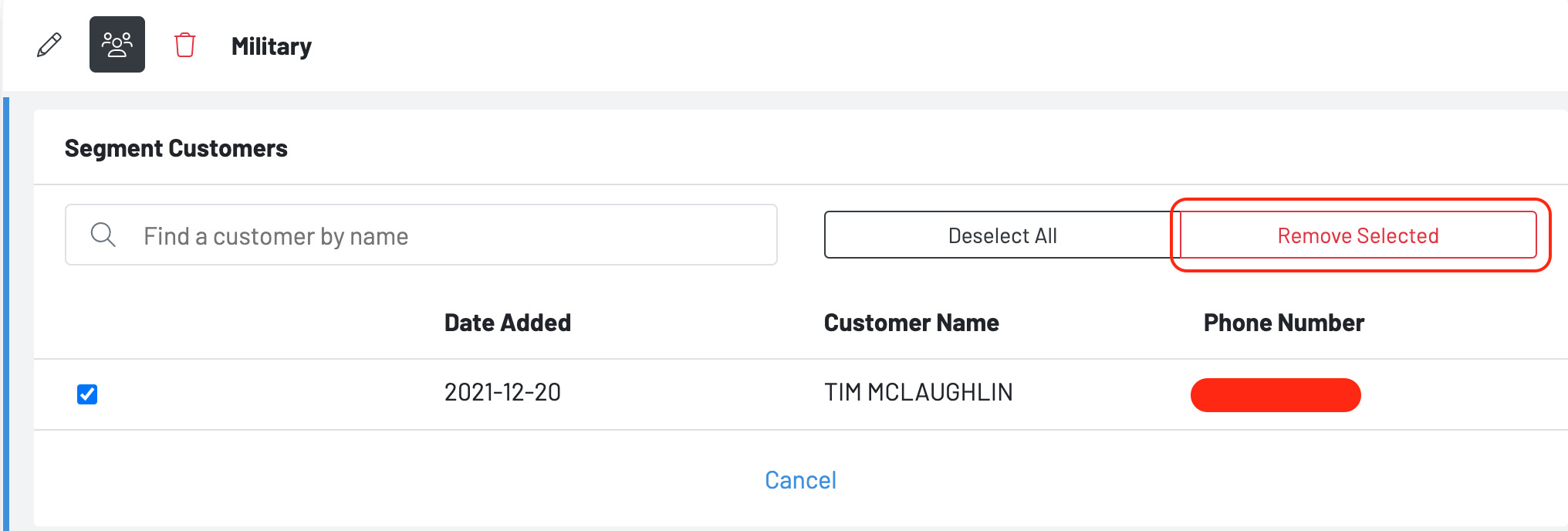
Hit the people icon
-
Check the customer you wish to remove from the group
-
Hit remove selected
Upload a list of customers’ phones numbers
- Press the upload option to upload a csv of phone numbers.