
How do I transfer a tab?
You can easily transfer any tab on the POS to another staff member.
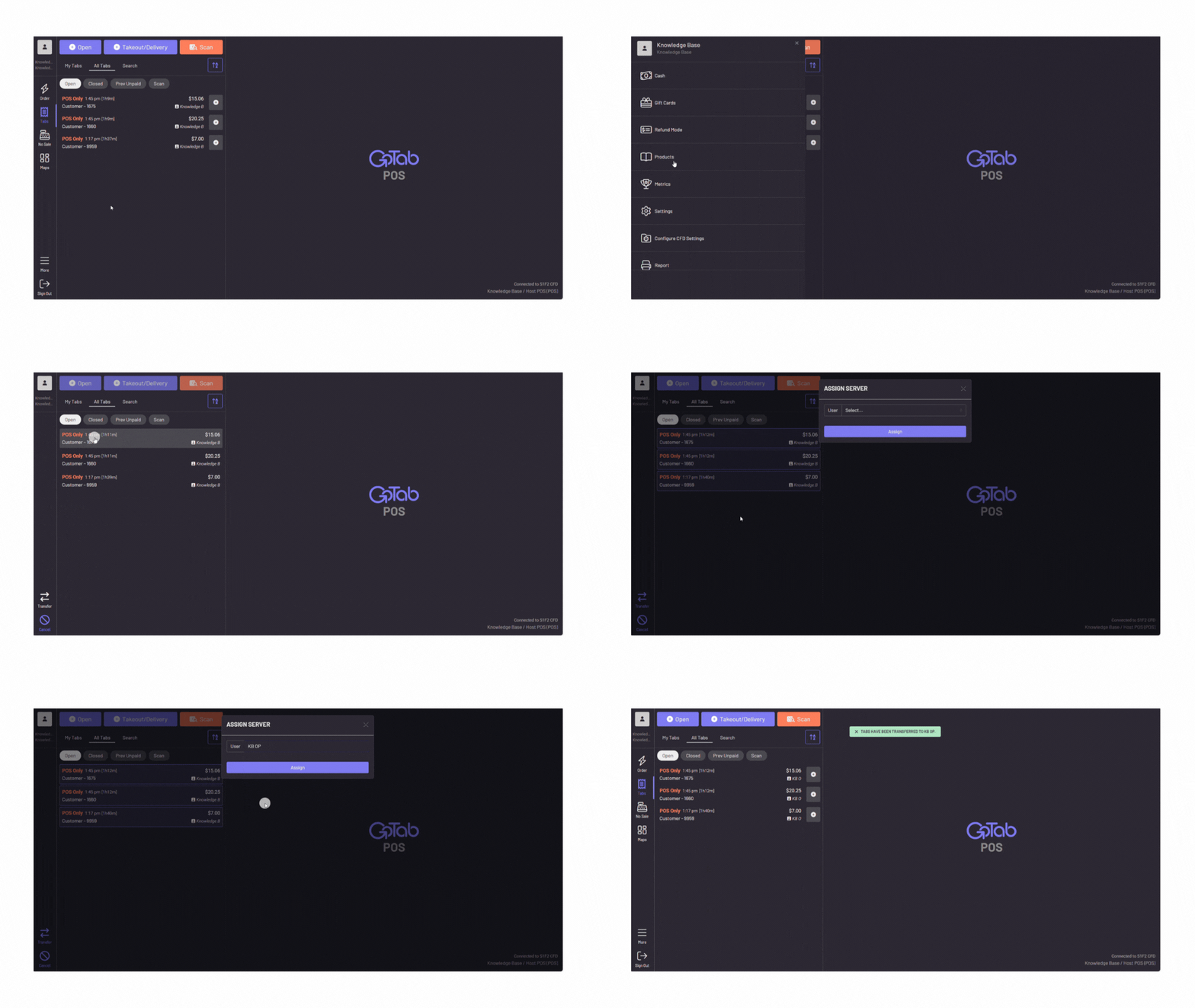
In the POS, navigate to More
-
Press Transfer Tabs
-
Choose the tab(s) you wish to transfer
-
Press “transfer” on the bottom left corner
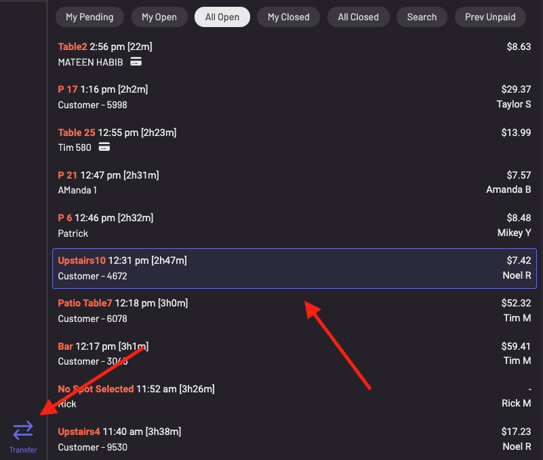
-
Choose the user you would like to transfer the tab(s) to
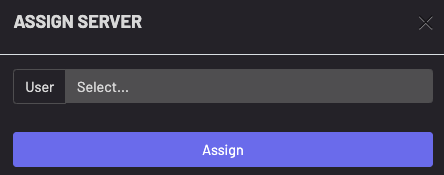
-
The newly assigned user will now be the owner of the tab(s) and the sales and tips will show on their user report