KDS: How to Sort Items on your Tickets
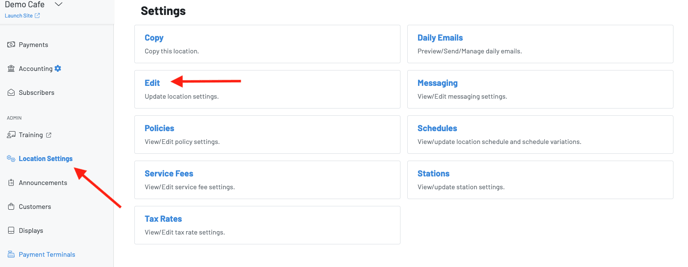
You can sort items on the KDS or printed tickets by navigating toLocation Settings—Edit—Display Settings in the manager dashboard.
You will then scroll down to Display Settings > “KDS/Chit Sort Order”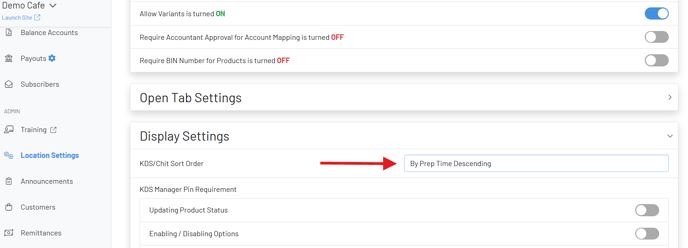
You have the following options to sort Items on the KDS:
-
Alphabetical - Products displayed A-Z
-
Chronological - Products displayed in the order rung in
-
By Prep Time: Ascending or Descending - Longer prep time items to shortest or shortest prep time items to longest
-
**By Category - **Products displayed in the same order as the Product Catalog, grouped categories
-
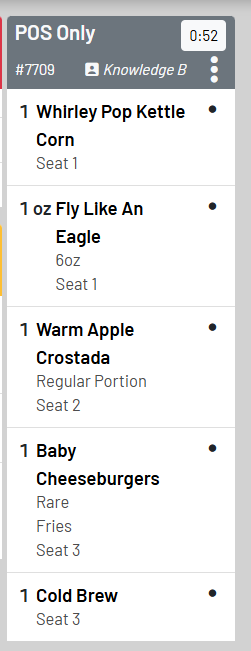
By** **Seat- Products are grouped by seats (shown below)