
How To Set-up Google Redirect
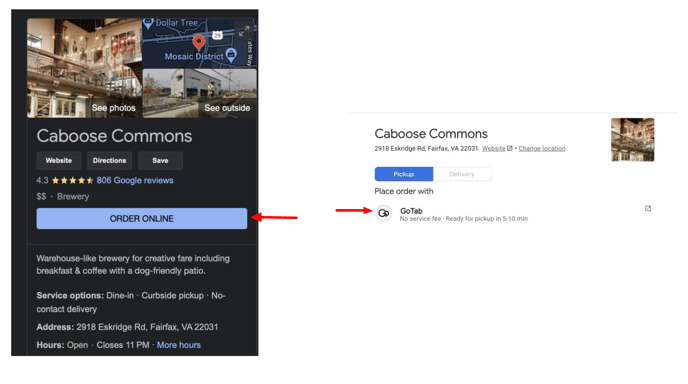
Steps To Configure Google Redirect
-
Contact your customer success manager to turn on Google Redirect.
-
Ensure you have an active Takeout and/or Delivery spot with an active menu.
-
Verify your location’s support phone number and address match your Google profile.
This info is found in Location Settings—Edit—Edit Location in the manager dashboard.
Note: Verification is solely on Google. Verification can take a few weeks. Phone number and address matching simplifies the Google verification process.
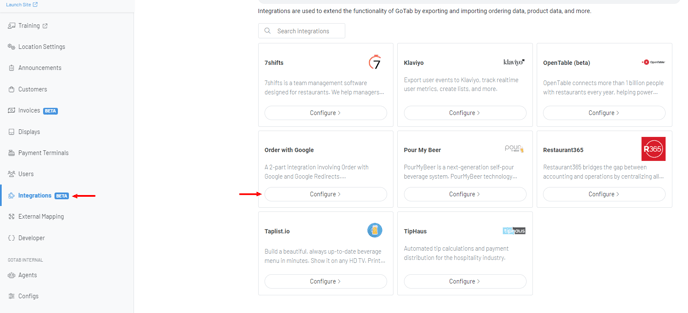
- Navigate to the Integrations Page and Configure “Order With Google”.
-
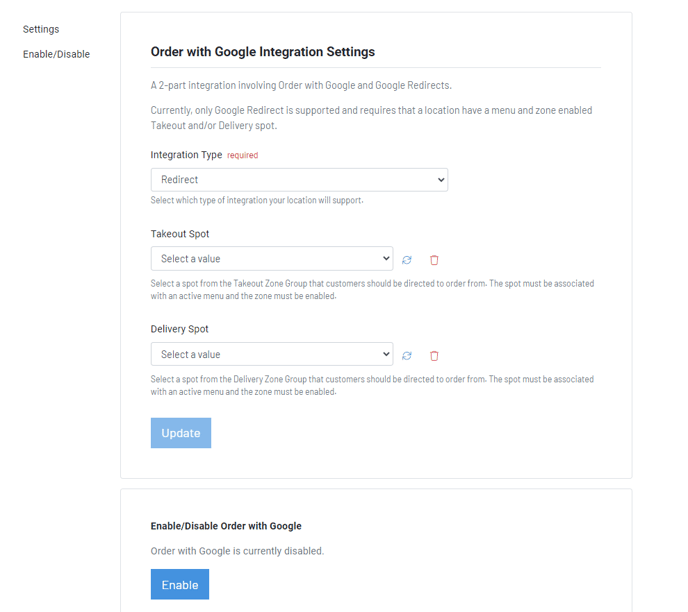
Set the integration type to Redirect.
-
Set your Takeout Spot, Delivery Spot or both.
-
Click “Update” and “Enable”.
Note: Once enabled, it will be activated once Google has gone through their verification process.
Click hereto learn how to create a Takeout Zone.
Click hereto learn more about creating Menus.