How to Issue a GoTab Gift Card
Note:** Issuing a gift card is when payment is not required by a guest. Click here to find out how to sell a gift card.**
Issue Gift Card From the POS
-
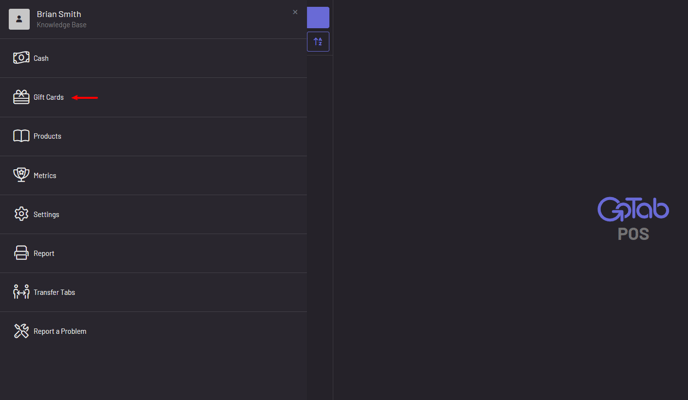
Pin into the POS and go to More
-
Click Gift Cards
-
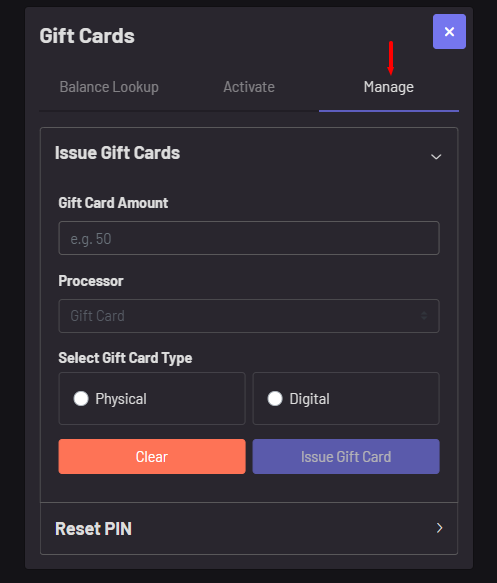
Click Manage
-
Set an amount and gift card processor (most only have one gift card processor)
-
Choose the gift card type (physical or digital)
-
Issue Gift Card
Issue Gift Card From the Manager Dashboard
-
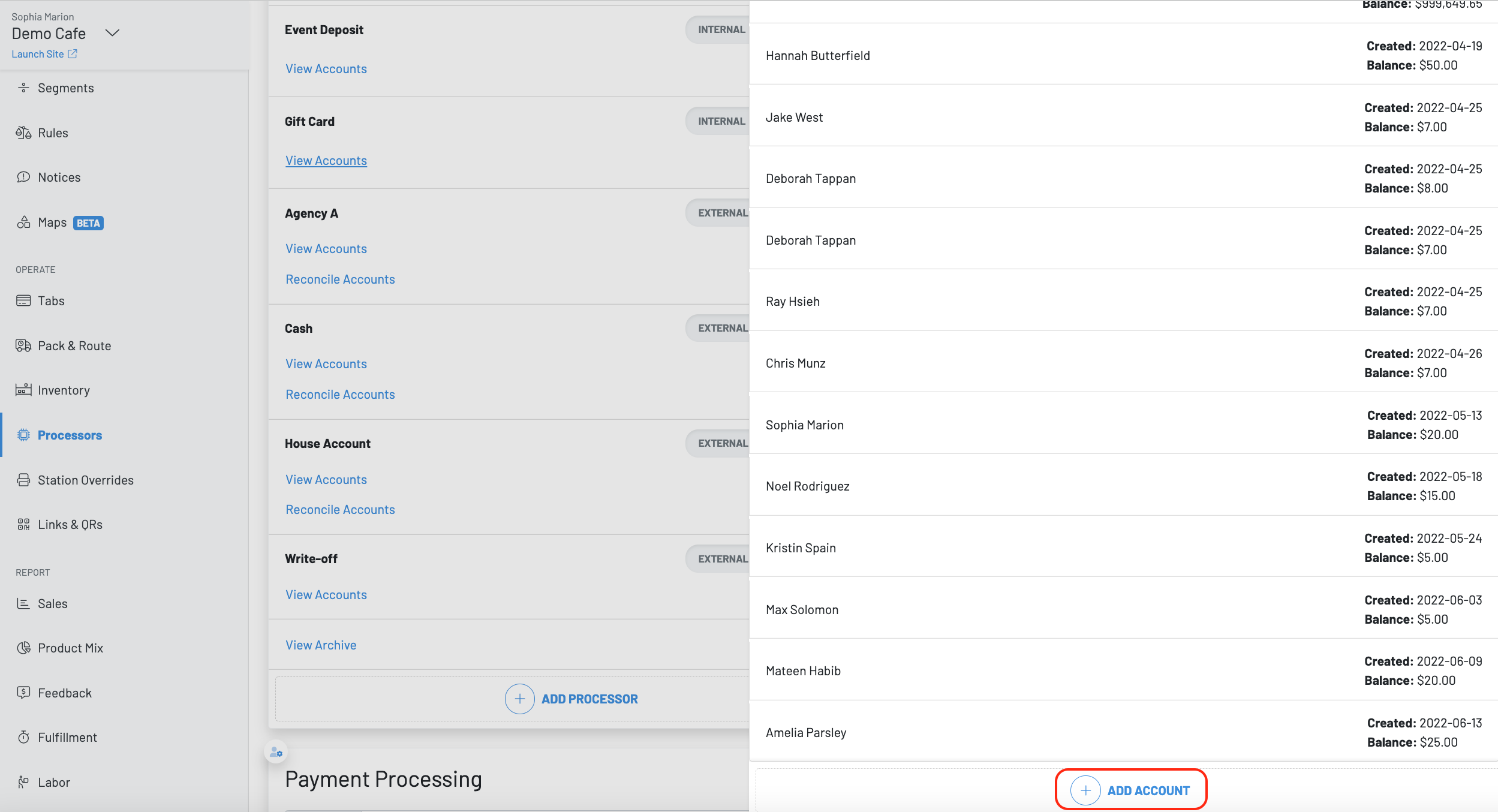
Navigate to the Manager Dashboard and hit Processors
-
Choose the gift card processor and click view accounts
-
Then press + add account
-
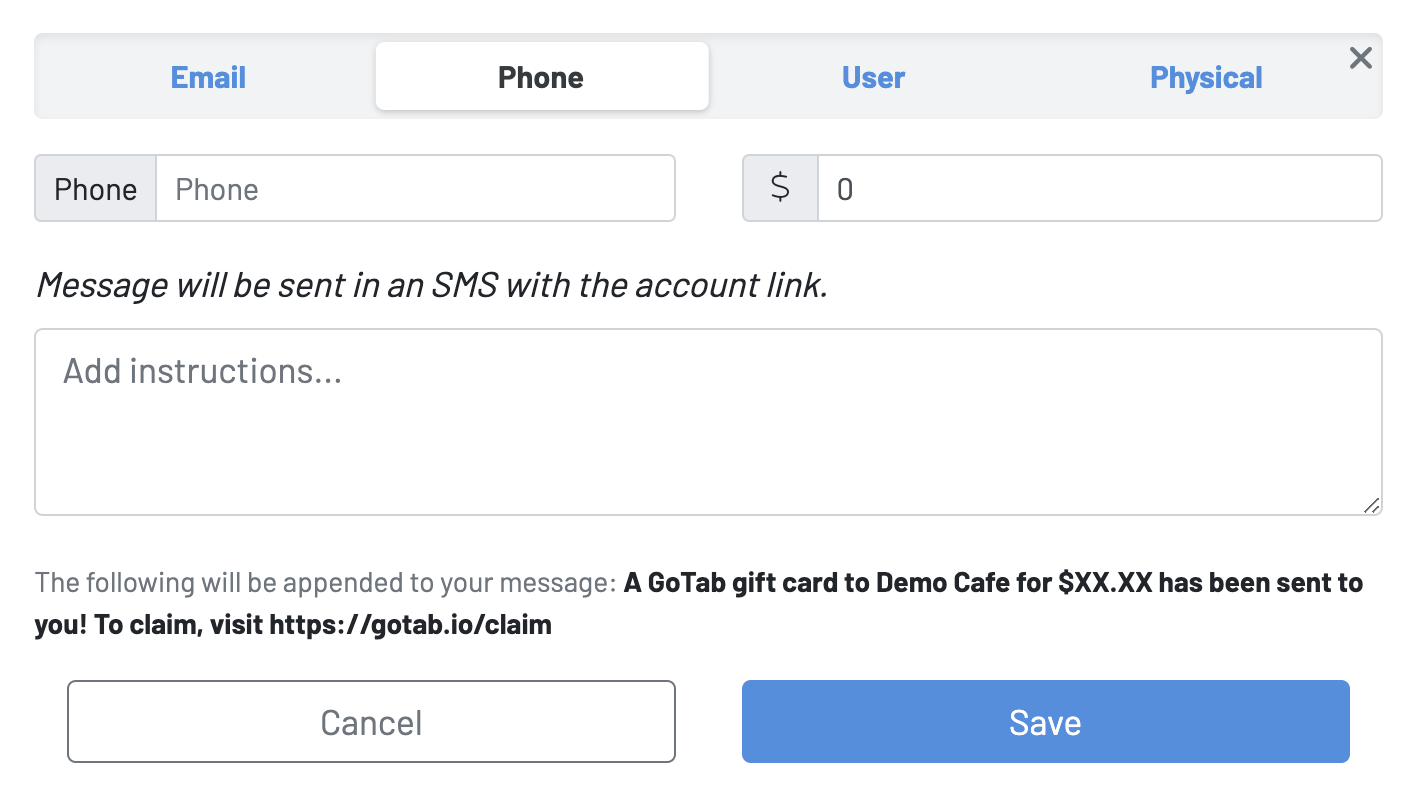
Choose the way you would like to issue this gift card
-
Email (Digital)
-
Phone (Digital)
-
User (Digital)
Users at your location. Does **not **work with restricted users.
Physical