
How to Issue a Customer a Digital Gift Card
You have the capability to issue digital gift cards through the Manager Dashboard.
-
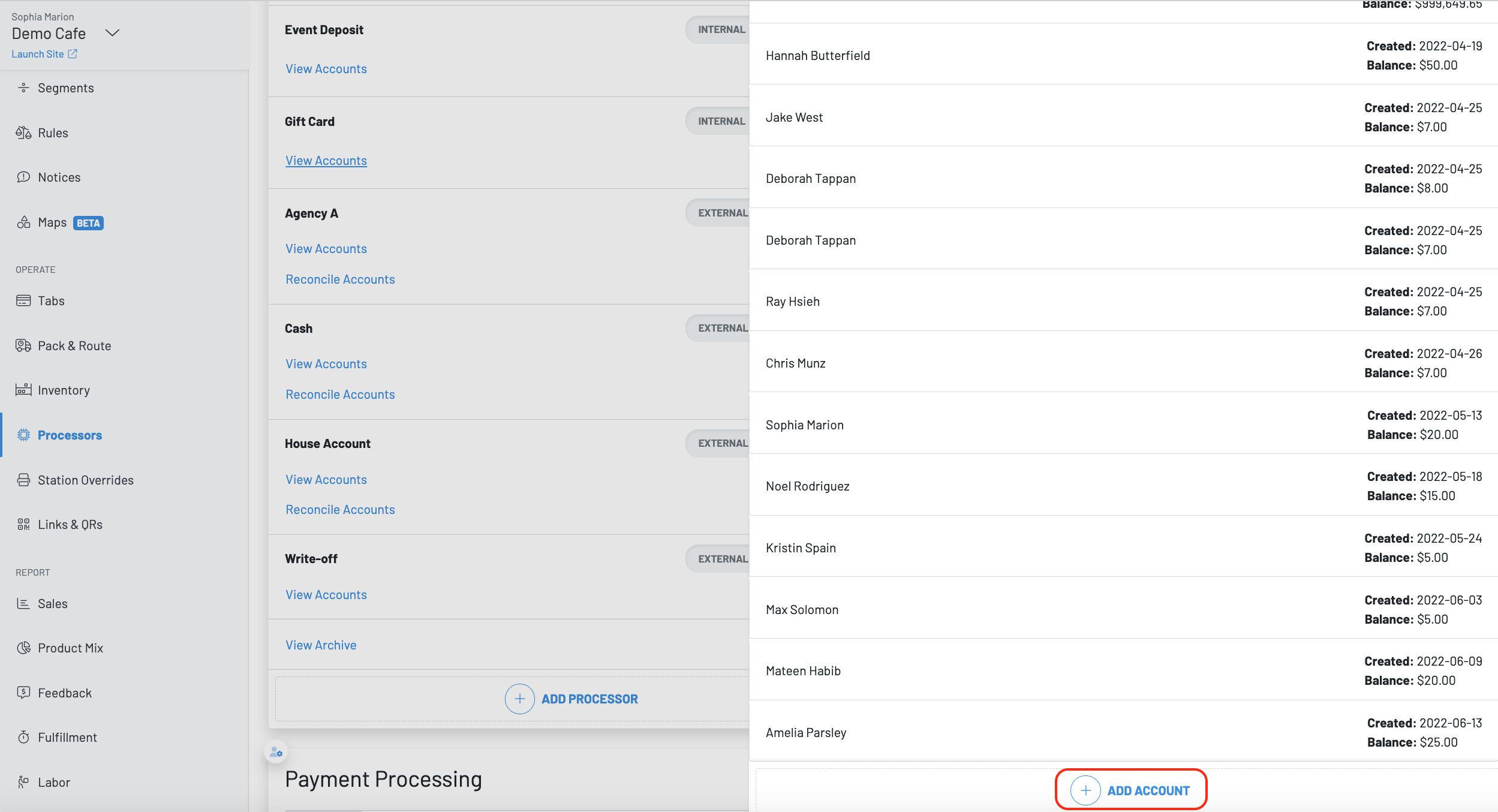
Navigate to the Manager Dashboard and hit Processors
-
Choose the gift card processor and click view accounts
-
Then press + add account
-
Enter the customer’s phone number, the gift card amount, and an SMS message
**GoTab Gift Card Model **
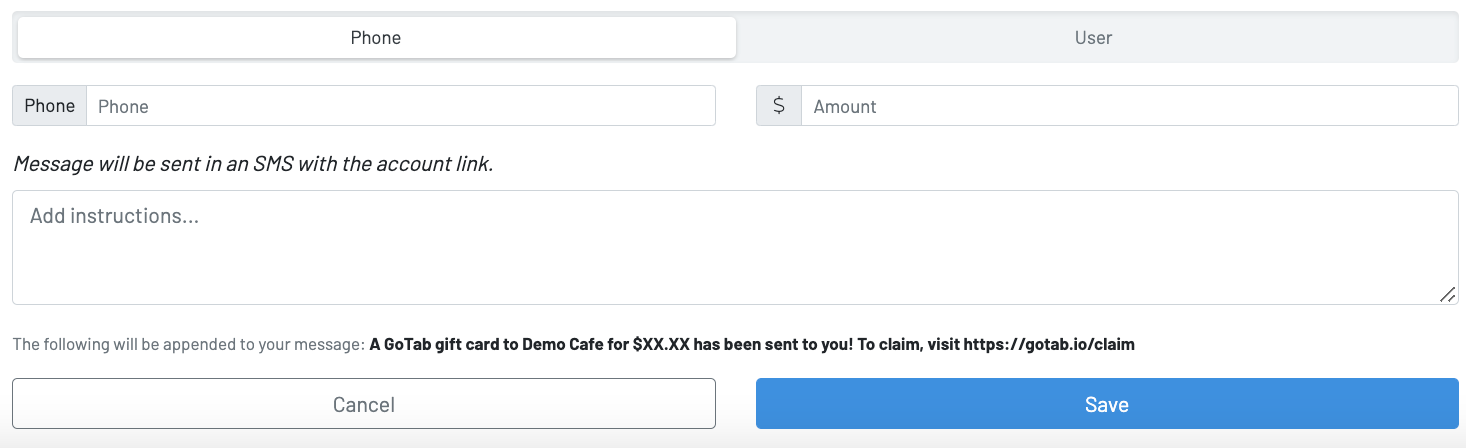
The customer will receive a text message and the guest can access their gift card on their GoTab account.