
How to assign a PIN to access your POS
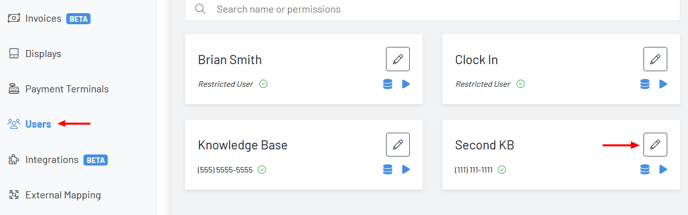
Step 1:Navigate to the Users Page and select the pencil icon on the user.
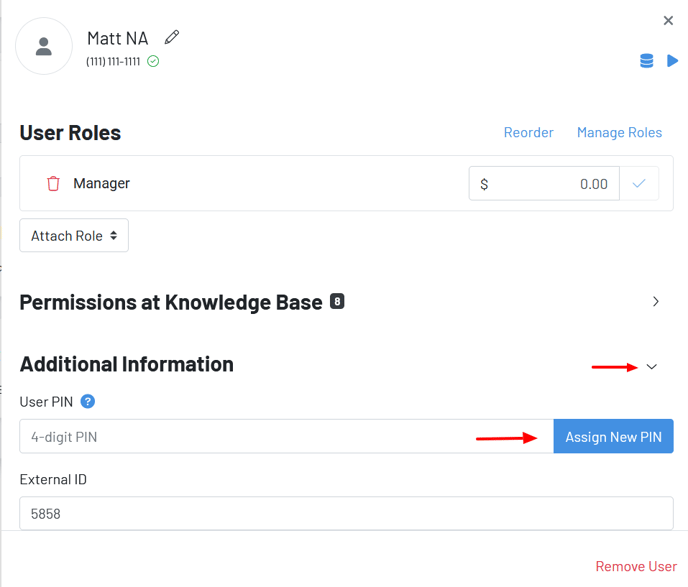
Step 2: Click the Additional Information Dropdown and Assign New PIN
***Notes: ***
-Assigned PINs are one-way encrypted. GoTab does not have access to the PIN once it has been assigned. If unsure of PIN, simply type the PIN in again and assign new PIN.
***-Phone verified managerial users will received a text notification when their PIN has been assigned and/or reassigned. ***