How to Access a User Report
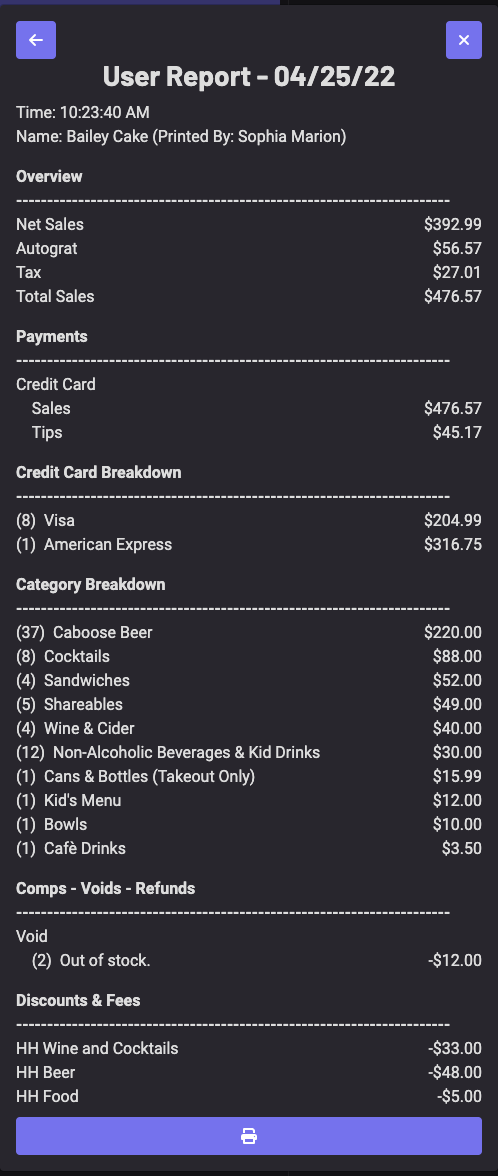
The User Report Includes
-
Net Sales, Auto-gratuity, Tax, and Total Sales
-
Tender Types
-
Case due to house/server
-
Product Breakdowns
-
Comps, Voids, and Refunds
-
Discounts and Fees
To Display the User Report
-
On the POS, click the **≡ **icon [in the left-hand corner]
-
Select Report
-
Generate the report by selecting the User and Date
-
To print the user report, simply click the printer icon at the bottom