
How do I Set Up a Cash Account on my POS?
Cash Accounts can be added to a POS at any time but must first be configured in the processors page. To learn how to set up a cash processor, click here.
How To Add Display Cash Acccount
Navigate to your More—Cash—Manage Accounts—Add Account in your POS.
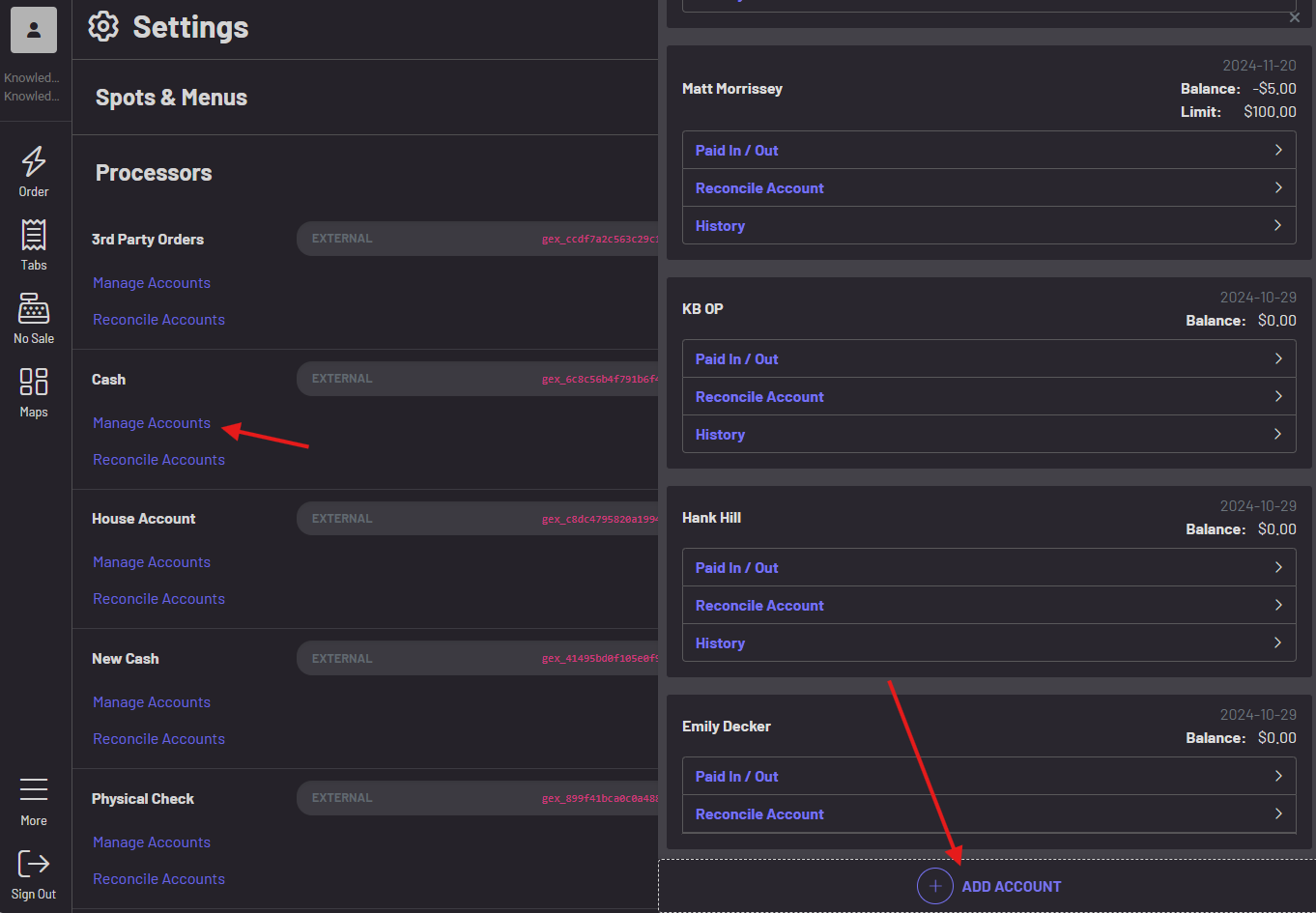
-
Select the display
-
Starting balance
-
Choose the station
-
Select the users who will have access to the cash account**
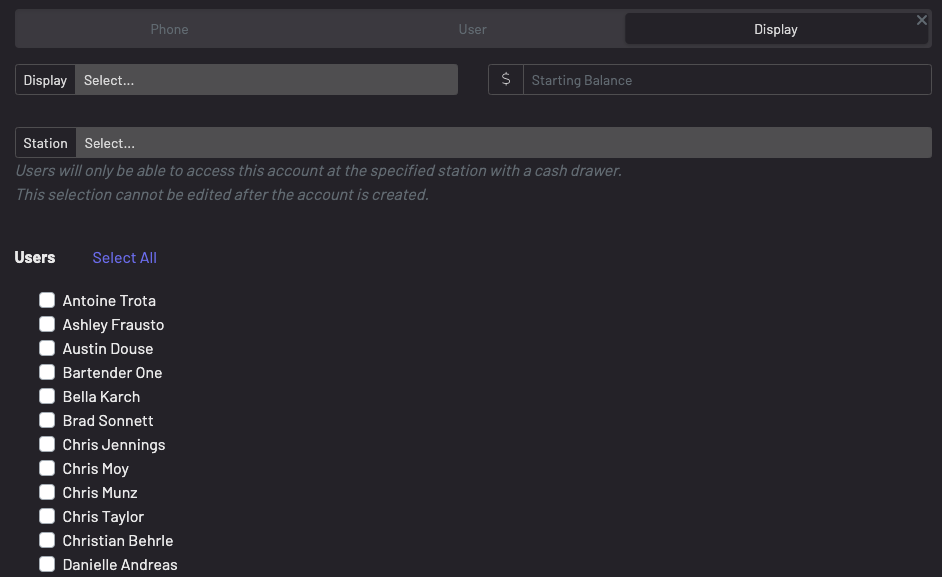 **
**
Note: Users will need permission manage: ordering* to access cash payments. *
If a display cash account already exists but a user needs added to the existing cash account, you can simply click the + button and select the additional user(s) that need added.
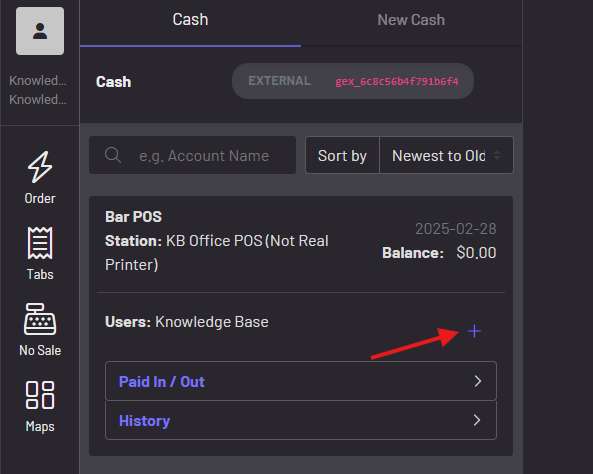
To learn how to manage user permissions, click here.
To learn how you reconcile your Cash Accounts, click here.