Activate GoTab POS App as Terminal
This article will specifically cover displays as terminals. A payment terminal is a POS/CFD/Kiosk device paired directly to your Adyen NYC1 card reader OR an S1F2 CFD.
Section titled “This article will specifically cover displays as terminals. A payment terminal is a POS/CFD/Kiosk device paired directly to your Adyen NYC1 card reader OR an S1F2 CFD.”
Requirements
-Hardware purchased from GoTab Store. Devices purchased from GoTab will have the GoTab POS Private app available in the Google Play Store.
-
Additional Android approved devices include either the Samsung Galaxy A8 Tablet or Samsung A14 phone running Android 12.0 or higher.
-
iOS devices running iOS17 and higher.
-GoTab POS app
-
For approved devices not purchased through GoTab, download the GoTab POS app from the Google Play Store and Apple App Store.
-
Devices purchased from GoTab will have the GoTab POS Private app available in the Google Play Store.
-Adyen NYC1 card reader
How To Activate
-Open GoTab POS/POS Private app on your device.
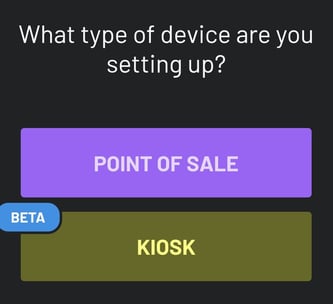
-Select Device Type.
Note: Both the Point of Sale (POS) and Customer Facing Display (CFD) live under POINT OF SALE on this device type setup.